Mintlify
How Mintlify used Context.dev to power a tool that transforms any GitHub repo URL into a complete, branded documentation site, and got there in under 10 minutes of integration time.
Read their story
 Combinator
One API for agents to scrape, search, monitor, and collect data from the web.
Powering products and agents at










Scrape clean Markdown, HTML, and screenshots from any page, then crawl whole sites and get sourced answers.
Explore the APIs
# Web scraping API for AI agents Scrape, crawl, and search the webfor AI products. ## Products- Scrape, map, and crawl- Batches, monitors, and answersClean content from any URL.
Every page of a site as Markdown.
Scrape thousands of URLs.
Watch pages for changes.
Do it yourself in the dashboard, or let your AI agent handle the whole thing.
Paste one line into your coding agent. It connects Context.dev to the agent or builds it into your app, and handles signup and your API key.
Use curl to read https://docs.context.dev/agent-quickstart.md, then follow it to set up Context.dev for me.
Scrape any page, map and crawl entire websites, run batches of thousands of URLs, get sourced answers, and monitor changes through one API.
import ContextDev from 'context.dev';

const client = new ContextDev({ apiKey: 'YOUR_API_KEY' });

const page = await client.web.scrape({
  url: 'https://linear.app',
  formats: {
    markdown: true,
    html: true,
    screenshot: true,
  },
  sharedParams: { mainContentOnly: true },
});

console.log(page.markdown.data);
console.log(page.screenshot.data);Rendering, proxies, and retries run on every request. You send a URL and get the page, not a list of settings to tune.
Every request loads in a real browser. There is no opt-out, because half-rendered HTML from a single-page app is a failure that looks like a success.
When a site blocks a request, it moves to a stronger proxy on its own. You never pick a proxy tier or pay extra for one.
Failed attempts retry with a different strategy before anything comes back to you. Retries run on our side, not in your code.
Scrape, crawl, research, and keep up with the web. Build these workflows with one API.
Turn webpages and PDFs into Markdown, HTML, structured fields, images, and screenshots. Get the formats your product needs in one request.
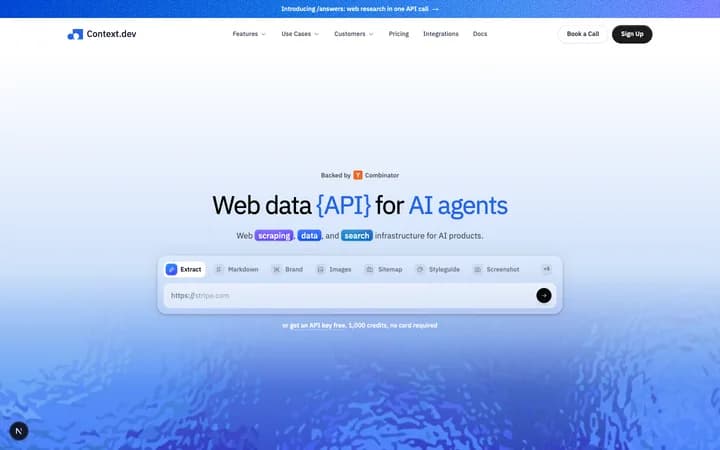
# Web data API for AI agents

Web scraping, data, and
search infrastructure
for AI products.
Screenshot
Images


Scrape thousands of URLs in one job. Process large URL lists or crawl entire sites, then collect results when the batch completes.
25,000 URLs
78.7%Large URL lists · Full-site crawls
Collect pages with Scrape and Crawl, add documents with Parse, and use Monitors to refresh changed sources in your retrieval index.
Watch pages for changes on a schedule. Track pricing, content, and new pages, then send updates straight to your application.
Team plan
Monthly billingAsk a research question and get a structured answer with source URLs. Give your agent findings it can use and evidence it can follow.
What are Linear's main product features?
{
  "features": [
    "Issues", "Projects", "Roadmaps"
  ]
}
Sources
 linear.applinear.app/features
Connect company references and person identifiers to useful context. Retrieve brand profiles, enrich people, and bring both into your agent’s workflow.

Y Combinator
ycombinator.comStartup accelerator helping founders build and grow their companies.
01
Scrape a single URL, map a domain, or crawl an entire site, all under one key.
02
Integrate in minutes with developer-friendly SDKs, clear docs, and example code.
03
Power AI agents, RAG pipelines, research, and automation with live web data.
Scrape any page to clean Markdown, crawl whole sites, and extract structured JSON, with rendering, anti-bot bypass, and proxies included in the same REST API.
Get Markdown, HTML, images, screenshots, bytes, and structured fields from one Scrape call. Add Map, Crawl, and Answers as your workflow grows.
POST /v1/web/scrape
{
  url: 'https://example.com/pricing',
  formats: { markdown: true }
}# Example pricing
Plans for your next project.
## Starter $19/mo
For your first production project.
## Team $49/mo
Shared access for your whole team.
- Annual billing available
Map a site's URLs, then crawl up to 500 pages into Markdown in one call, or thousands more through Batches. Control depth, page count, and URL patterns.
Rendering, anti-bot bypass, and proxies are part of the base scrape price. Most failed requests are not billed, so you pay for pages you can use.
Feedback from the engineers shipping with us every day.

John Acosta
“As soon as you type in the email, we use Context.dev to collect information about your brand and different logos. Context.dev saves us a lot of time right now.”
Founder @ UsePropane.ai

Nick Khami
“Onboarding couldn't be simpler. Self-serve sign-up gives you an API key immediately, the documentation is thorough, and we were integrating within 10 minutes.”
Engineering Manager @ Mintlify

Luke Ramsden
“Getting started is very simple. API docs are great and sign-up is self serve, with an API key generated immediately. Took 10 minutes to start integrating.”
CPTO @ Architect (tryarchitect.com)

Aaron Edwards
“We're seeing much higher activation rates for our free trials and sign-ups because of it. It's made it a lot simpler for customers to get started with DocsBot and to get to that 'aha' value moment very quickly.”
Founder @ DocsBot

Sreejan
“Context.dev preserved full page content and JSON-LD on sites where Firecrawl struggled, provided useful metadata that let us remove much of our custom HTML parsing, and automatically refunded failed batch pages.”
Co-founder @ Zaraftis
From scrappy startups to Fortune 500s, teams ship brand-powered features in days instead of quarters. See all customers
Engineering deep dives, product updates, and practical guides for building with brand data.
Everything you need to know about integrating and scaling with context.dev.
Free tier, 10-minute integration, and the same API powering agents at Mintlify, daily.dev, and Propane. No credit card to start.